
How to use Coffee Machine Cleaner + Descaler Tablets
The same steps as on your box, plus the steps for your machine, the descale light and the machines not to use these tablets in.
Directions
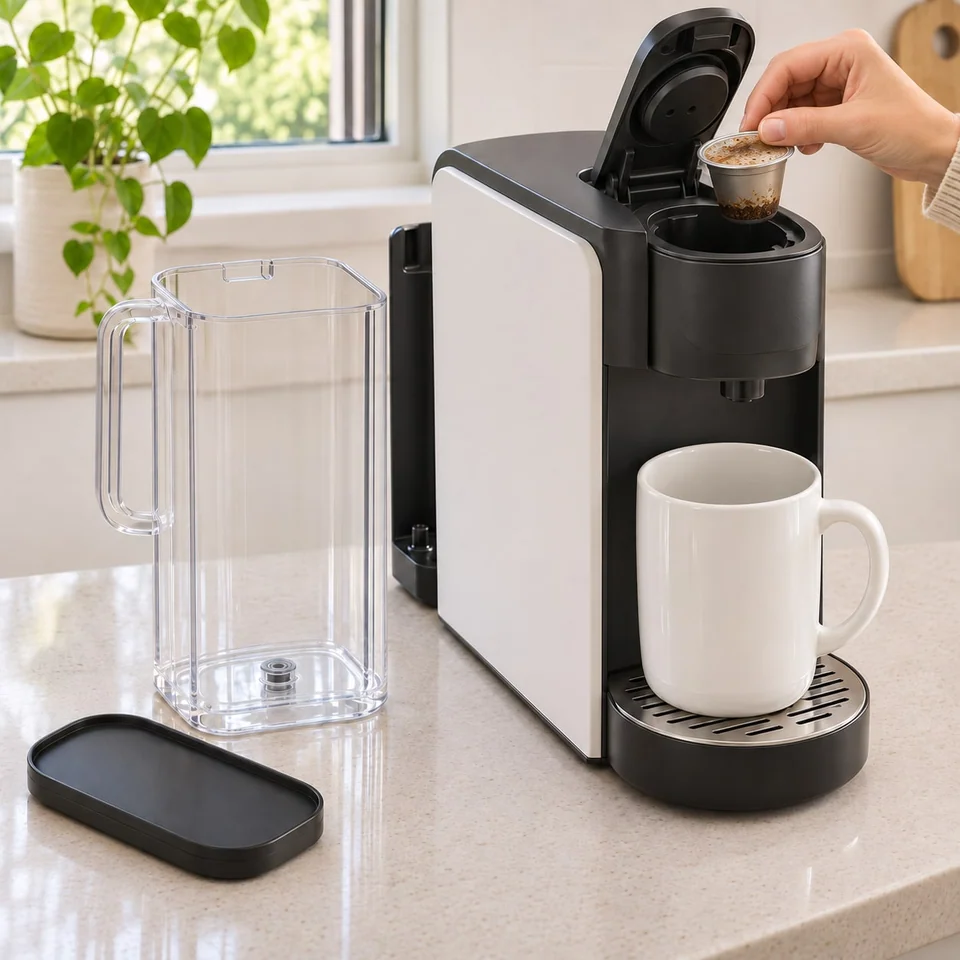
Empty the water tank (reservoir). Take out any coffee pod or capsule, paper filter, or used grounds. Place a large mug or the empty pot under the spout.
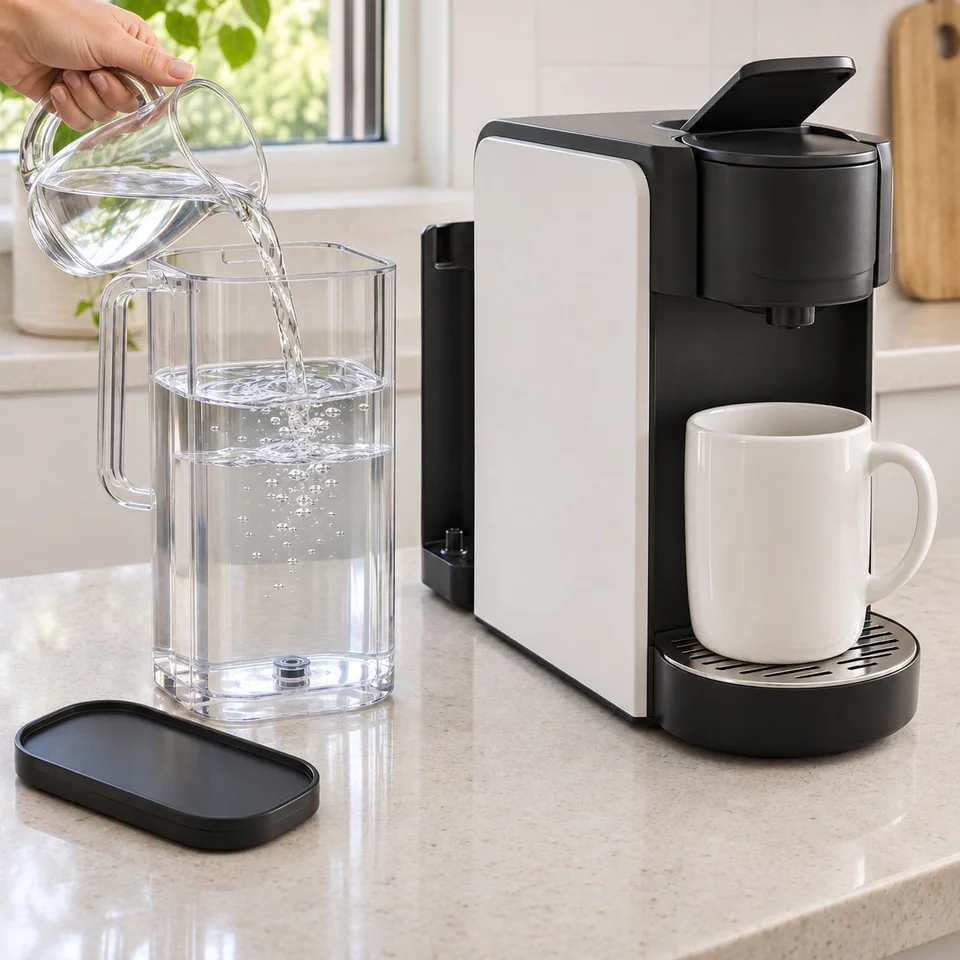
Fill the water tank with fresh water.
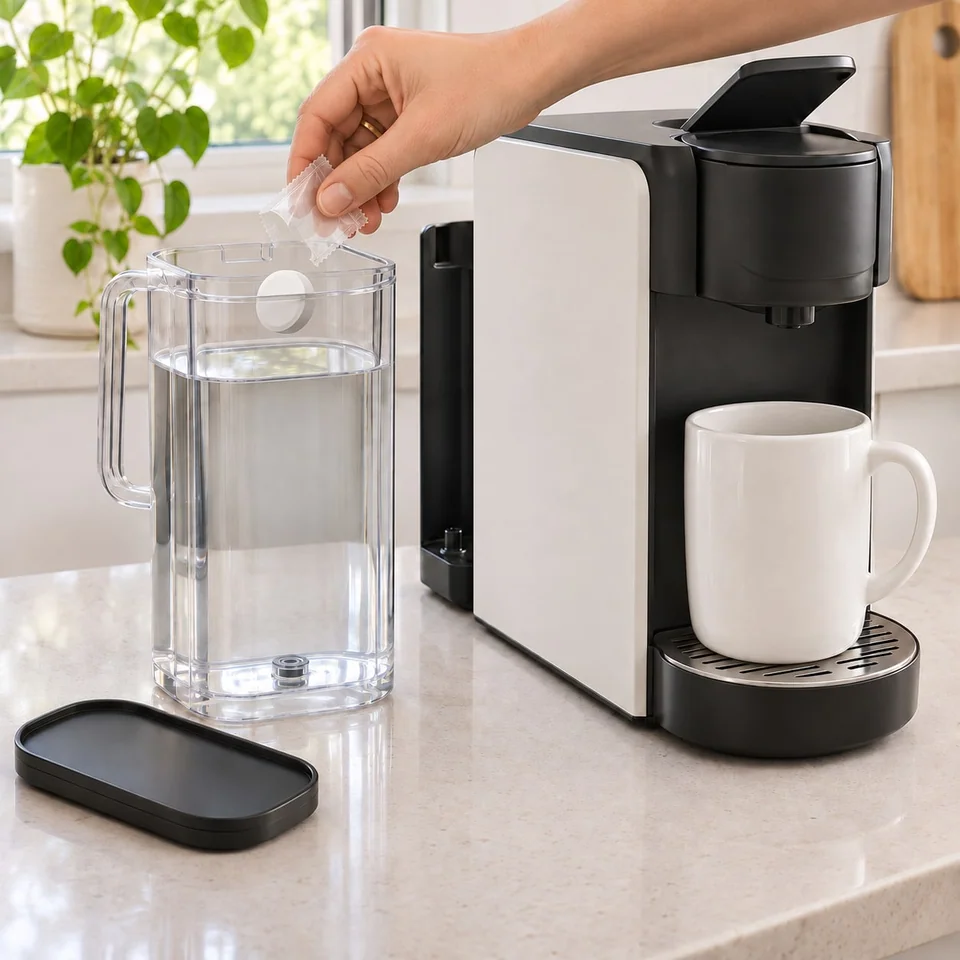
Open one packet and tip the tablet into the water tank. Water tank only. Never put the tablet in the pod holder.
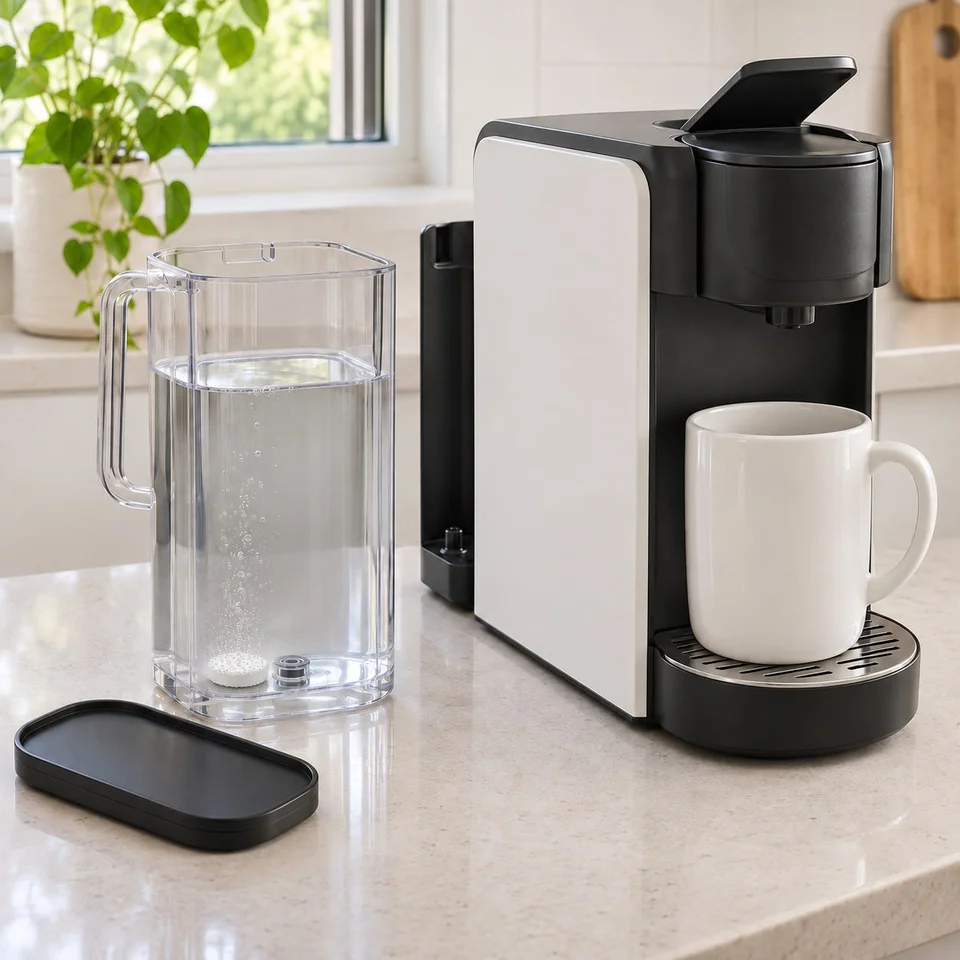
Wait until the fizzing stops and no tablet is left before you start the machine.
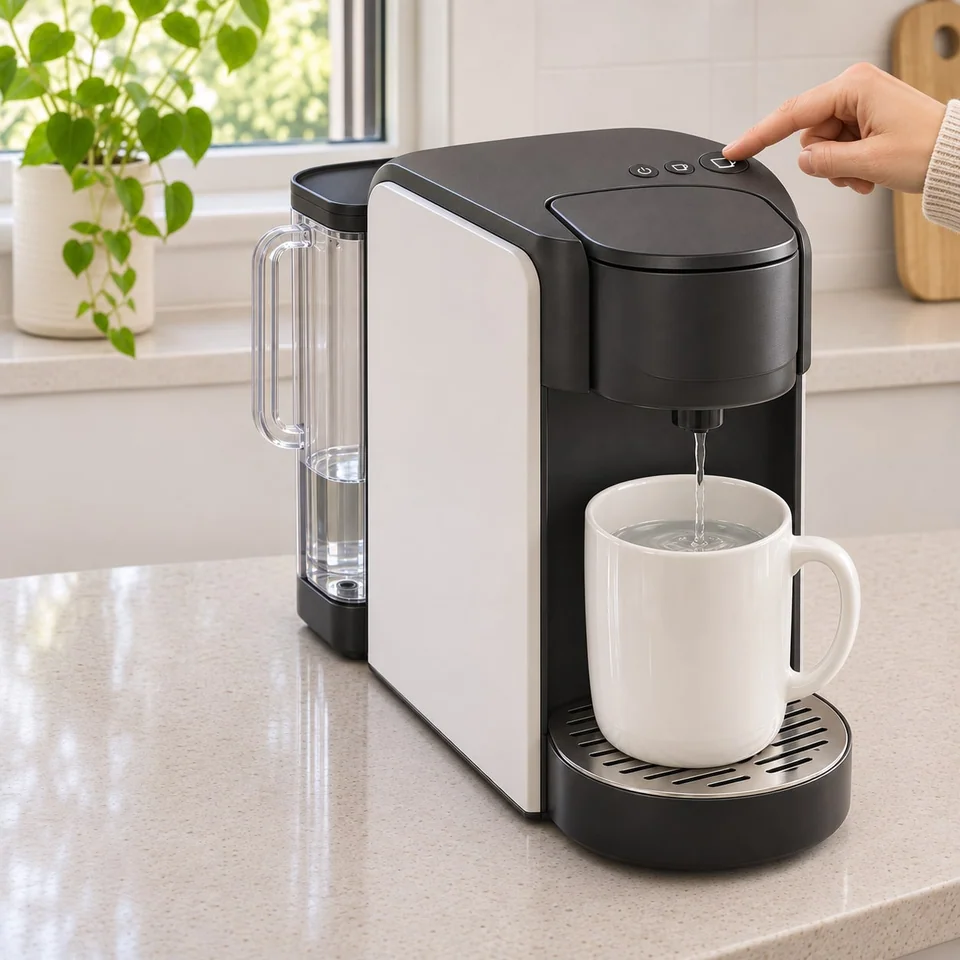
Start your machine’s descale or clean mode (steps for your machine below). No such mode? Brew the largest cup size until the tank is empty, or brew a full pot. Empty the mug or pot after each brew.
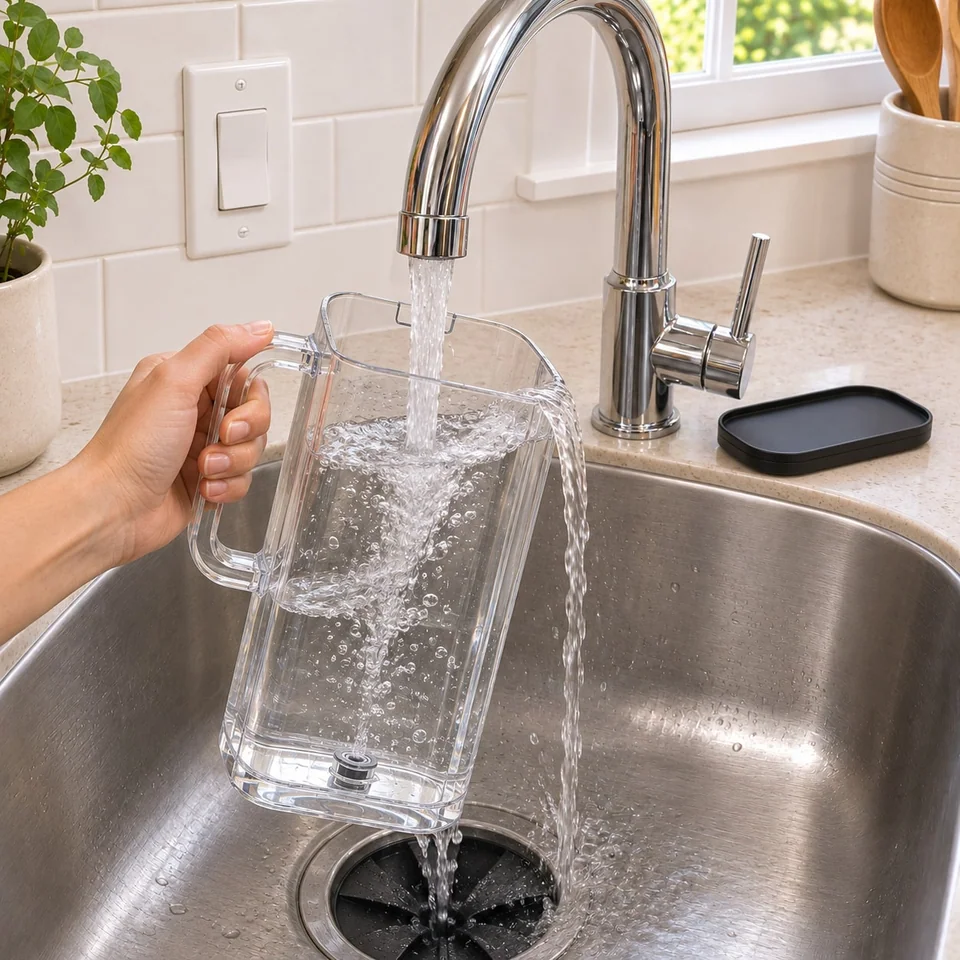
Pour out any water left in the tank and rinse the tank. Brew 2 full tanks of fresh water, emptying the mug or pot after each brew. The last tank should come out clear, with no bubbles or smell. Then you can make coffee.
Good to know
- Descale or clean light still on? Before you use another tablet, see the steps for your machine below.
- NOT FOR machines that keep hot water in a closed tank, or that take their own cleaning tablets in a slot. Espresso, capsule, or super-automatic machine? Check the steps for your model below first.
- Store in a cool, dry place. Keep box closed. Open one packet at a time.
- FIRST TIME: Not cleaned in a long time? You may need to repeat the steps with a second tablet.
- HOW OFTEN: Start with 1 tablet a month. Brewing slows sooner? Clean more often. Brewing well by the next cleaning? Go back toward monthly. Slow again within days? Don’t add a tablet; get help at the link below.
What you’ll see
- The water in the tank fizzes. If your machine had buildup, the first cleaning water may look cloudy or have bits in it. If your machine was already clean, the water may come out clear. Taste your next cup.
- Clear rinse water can simply mean your machine was already clean.
By machine type
- Drip or pot coffee maker
- Use the Clean button if your machine has one. No button? Brew a full pot. Water tank doesn’t lift out? Follow your machine’s guide for steps 1 and 6: brew the tank through into the pot instead of pouring it out, and empty the pot after each brew.
- Pod brewer
- Pod brewers with an inner hot water tank are fine, since you fill them through an open water reservoir. Take out any pod and water filter first.
- Machine with a pot side and a single-serve side
- Narrow or grated water opening? Dissolve the tablet in a mug of water first, then pour it into the water tank.
- Capsule machine
- Nespresso: see the Nespresso section below. Other brands: check your machine’s guide first, and skip these tablets if it says to use only the maker’s descaler or not to use sulfamic acid.
- Pump espresso or super-automatic machine
- Needs a removable water tank and a descale mode. Skip these tablets if the guide says to use only the maker’s descaler or not to use sulfamic acid. This is a water tank descaler, not a group head cleaning tablet.
- Machine that keeps hot water in a closed tank, or takes its own cleaning tablets in a slot
- Don’t use these tablets.
Steps for your machine
Independent guide by GLIMREST. Not affiliated with or endorsed by any machine maker.
Do steps 1-4 first, then start your machine as shown here. We rewrote each maker’s steps for 1 tablet. Always 1 tablet per cleaning, whatever the tank size. Take out any water filter before you start.
Each maker’s guide names its own cleaner, descaler or method. If your machine is under warranty, read your warranty before you use these tablets.
Don’t see your machine? Follow the steps on your box and your machine’s manual, or ask us through the Help form.
- Keurig K-Supreme, K-Supreme Plus, K-Slim, K-Slim + Iced, K-Iced Plus, K-Brew+Chill
- With the brewer plugged in and off, hold the 8 oz and 12 oz buttons for 3 seconds. When it flashes, press the brew button. Use a large ceramic mug and no pod. Empty the mug after each brew and repeat until ADD WATER lights up. Empty and rinse the tank, fill it to the max line with fresh water, and keep brewing until the descale light turns off.
- Keurig K-Café Barista Bar, K-Express, K-Iced
- With the brewer plugged in and off, hold 8 oz and 12 oz for 3 seconds until DESCALE turns solid. When it flashes, press 12 oz. Empty the mug after each brew and repeat until ADD WATER lights up. Empty and rinse the tank, fill it to the max line with fresh water, and keep brewing 12 oz until the DESCALE light turns off.
- Keurig K-Express Essentials, K-Iced Essentials
- With the brewer plugged in and off, hold 6 oz and 10 oz for 3 seconds. When it flashes, press 8 oz. Empty the mug after each brew and repeat until ADD WATER lights up. Empty the tank, fill it to the max line with fresh water, and keep brewing 8 oz until the DESCALE light turns off.
- Keurig K-Café SMART, K-Supreme SMART, K-Supreme Plus SMART
- When the Descale notice shows, press the left arrow, choose CONTINUE and follow the screen. No notice? Press both arrows together for Settings and choose Descale Mode. Press the flashing BREW button, empty the mug and repeat until the screen says ADD WATER. Rinse the tank, fill it to the max line with fresh water, and keep brewing until the screen says DESCALE COMPLETE.
- Keurig K-Duo Hot & Iced (Gen 2), K-Duo Essentials Hot & Iced (Gen 2)
- With the brewer plugged in and off, put a mug on the tray and the carafe on the plate. Hold CUPS and OZ for 3 seconds. Press the flashing BREW button for the single-serve side, then again for the carafe side (a partial brew). When the add water light comes on, empty the mug and carafe and rinse the tank. Fill it to the max line. Press flashing BREW twice for single serve and once for the carafe, emptying after each brew, until the descale light turns off.
- Keurig K-Duo (Gen 1), K-Duo Essentials (Gen 1), K-Duo Special Edition, K-Duo Plus
- No descale mode. Allow about 75 minutes. Press OZ/POD, then 12 for a single-cup brew, and empty the mug. With the carafe on the plate, press CUPS/CARAFE, then 12, and empty the carafe. Hold CUPS/CARAFE to turn off the plate. Let it stand at least 30 minutes, then discard what’s left in the tank and rinse it. Rinse with 4 carafe brews and 4 single-cup 12 oz brews of fresh water.
- Keurig K-Classic, K-Café, K-Café Special Edition, K-Latte, K-Elite, K-Compact, K-Select
- No descale mode. Allow about 45 minutes. Use a large ceramic mug and no pod, lift and lower the handle and brew the largest size. Repeat until the add water light comes on. Let it stand 30 minutes with the power on, then discard what’s left and rinse the tank. Fill it to the max line and run at least 12 brews at the largest size, refilling as needed.
- Keurig reminder and warranty
- Keurig says its reminder tracks how much liquid has passed through and goes away only once the brewer has actually been descaled. If you postpone it, it comes back in 6 weeks. Keurig’s K-Supreme and K-Elite guides say damage from pods or accessories that aren’t Keurig’s may not be covered.
- Breville Bambino (BES450)
- Fill the tank only to the DESCALE line, add 1 tablet and wait until the fizzing stops and no tablet is left. Empty the drip tray. Put a 68 fl oz (2 L) container under the group head and steam wand. Hold 2 Cup and Steam for 5 seconds. It pauses when the solution is used up. Rinse the tank, fill it to MAX, empty the container and press 2 Cup to rinse. Never remove or fully empty the tank during descaling. The flashing 2 Cup button is the reminder, and pressing any button cancels it.
- Other Breville espresso machines (Bambino Plus, Infuser, Barista Express, Barista Express Impress, Barista Pro, Barista Touch, Barista Touch Impress, Dual Boiler, Oracle, Oracle Jet, Oracle Touch, Oracle Dual Boiler)
- Controls vary by model, so follow your manual’s descale steps, not the clean cycle, with 1 tablet: fill to the DESCALE line, or 1 L (34 fl oz) if your tank has none. Won’t start? Make sure the machine is ready and idle, the tank is in securely, the drip tray is empty and the portafilter is out; then turn it off, unplug it, reconnect and try again. Light still on after the full descale and rinse? Turn the machine off and back on. Breville says some models clear it only after a set final step in the manual. Breville’s article says to use only an approved, machine-compatible descaling solution and doesn’t list which ones, so check with Breville if your machine is under warranty.
- Ninja Luxe Café (ES601 series)
- Ninja’s guide recommends its own Descale Powder. Do step 1. Then, instead of steps 2-4, dissolve 1 tablet in 37 fl oz of water in a separate container, wait until the fizzing stops and no tablet is left, and pour it into the empty tank. Empty the main drip tray. Fasten the portafilter with the double basket, put the milk jug on its platform with the steam wand inside, and put an empty cup of at least 18 oz under the portafilter (you may have to remove the center drip tray). Press DESCALE, then the center dial. It runs about 90 minutes and beeps when done. Carefully remove the portafilter, drip tray and jug, empty them and hand-wash them in warm, soapy water. Fill the tank with fresh water to the Max Fill line. Put back the tray and portafilter, not the jug. Run a 12 oz CLASSIC brew, then press PURGE. This is for the DESCALE cycle only: don’t use these tablets in the CLEAN cycle.
- Ninja DualBrew with a carafe (CFP100, CFP300 series)
- In steps 1-2, put the empty carafe under the brew basket and fill the tank to the full line. Press CLEAN, then confirm: CLEAN again on the CFP100, START BREW on the CFP300. It runs about 75-90 minutes with long pauses. Don’t move the carafe until it beeps and shows END. Empty the carafe and wash the tank in warm, soapy water. Then do step 6 with full-carafe Classic brews, and wash the carafe and brew basket. CFP300: clean in the mode you use most, grounds or pods, and rinse a pods clean with 12 oz Classic brews.
- Ninja Pods & Grounds with no carafe (PB040, PB045, PB050 series)
- In step 1, use a 2-quart bowl, not a mug: the whole 56 oz tank comes through. Take out the cup tray, put the empty Permanent Filter or Pod Adapter in the brew basket and close the lid. In step 2, fill the tank to MAX. Press CLEAN, then BREW. It runs about 75 minutes and beeps when done. Empty the bowl and wash the tank in warm, soapy water. Then do step 6 with 24 oz Classic brews, emptying the bowl after each one.
- Ninja DualBrew and Pods & Grounds: CLEAN light
- Ninja says the orange CLEAN light means a clean cycle is due, and that much slower brewing is also a reason to run one. Still on after a cycle? Ninja says you may need another: use 1 new tablet. On the CFP300, CLn on the display means heavy scale in that mode, so run a cycle in that mode. Ninja’s guides recommend a descaling solution made for coffee makers, or white vinegar.
- Cuisinart
- Most models: hold Clean until the light flashes, then let go. Five beeps and the light going off mean it’s done. If the light comes back, Cuisinart says to repeat a cleaning cycle, and that one is usually enough. No Clean button: run a normal brew. Take the charcoal water filter out first. Cuisinart’s article says it doesn’t recommend ready-made cleaners, including descaling tablets, because its coffee makers have built-in cleaning functions.
- Mr. Coffee
- Use the clean function if your machine has one. If not, brew it like a regular pot. Let the machine sit 15-30 minutes, then dump the water and rinse the carafe. Finish with 2 water-only brews, emptying the water between them.
- Sources
- Read November 6, 2026: Keurig “How to Descale your Keurig Coffee Maker” (dated November 21, 2024); Breville support article ka0QU000002WDFVYA4 and Bambino BES450 manual; Ninja “ES600 Series Ninja Luxe Café - Descaling” (dated February 5, 2026) and ES601ANZ Owner’s Guide (Australia, New Zealand); Ninja “CFP100 Series Ninja DualBrew Hot & Iced Single-Serve Coffee Maker FAQs” and “CFP300 Series Ninja DualBrew Pro Specialty Coffee System FAQs” (dated August 26, 2025), “PB040 / PB050 Series Ninja Pods & Grounds Coffee Maker FAQs” (dated October 31, 2025), “PB045 Series Ninja Single-Serve Pods & Grounds Hot and Iced Coffee Brewer - FAQs” (dated November 4, 2025); Cuisinart “How to Clean a Coffee Maker”; Mr. Coffee “How To Clean A Coffee Maker The Easy Way.” Keurig warranty lines: K-Supreme and K-Elite Use & Care guides, read October 30, 2026.
Nespresso machines
Independent guide by GLIMREST. Not affiliated with or endorsed by Nespresso.
Nespresso Original machines: put 1 tablet in 17 oz (0.5 L) of water in a jug and wait until the fizzing stops and no tablet is left. Pour it into the empty water tank, then run the descale and rinse as your Nespresso guide says.
Vertuo machines: Nespresso’s Vertuo guides call for the Nespresso descaling kit. Follow your guide.
Nespresso’s guides recommend the Nespresso descaling kit, and Nespresso’s US warranty does not cover calcium deposits or descaling. If your machine is under warranty, read your warranty before you use these tablets.
Machines not to use these tablets in
Independent guide by GLIMREST. Not affiliated with or endorsed by any of these makers.
- Philips and Saeco espresso machines
- Don’t use these tablets. Philips Support says to use only Philips descaler and not to use products with sulfamic acid. Its Saeco guides name Saeco/Philips descaling solution.
- Gaggia super-automatic machines
- Don’t use these tablets. The Philips Support guide for Gaggia names Saeco/Philips descaling solution.
- De’Longhi espresso and fully automatic machines
- We don’t recommend these tablets. De’Longhi says to use only its own descaler, and that an unsuitable descaler may cause faults its guarantee doesn’t cover.
- JURA
- Don’t use these tablets. JURA’s ENA 8 manual says to use only original JURA descaling tablets, and that other descaling agents may damage the machine or leave residues.
- Sources
- Read November 6, 2026: Philips Support “How to descale my Philips Espresso Machine,” “How to descale my Saeco Exprelia espresso machine” and “How to descale my Saeco Intelia espresso machine” (US), “How to descale my Gaggia Accademia espresso machine” (Canada); De’Longhi US “Fully Auto Coffee Accessories - EcoDecalk Descaler” and De’Longhi Coffee Machines Help Center; JURA “ENA 8 (NAC) Instructions for Use” (J75087, 09/2022), p. 27.
Choosing your rhythm
- Every 2 weeks
- Hard or well water, many pots a day, or a machine light that comes back after about 2-3 weeks.
- Every 3 weeks
- Somewhere in between: slightly hard water, or a lot of coffee but no early light.
- Once a month
- Soft tap water or filtered water, 1-3 cups a day, and no early light.
If something isn’t right
The descale or clean light is still on.
Before you use another tablet, find your machine in the steps above. The light is your machine’s own reminder, and many machines turn it off only through their own descale mode or a set final step. Still on after that? Get help through the Help form.
Brewing is slow, or slow again within days.
Don’t add a tablet. On a pod machine, clear the needle as your manual says; a straightened paper clip often does it. Keurig’s K-Duo guide says a heavily scaled brewer may give little or no output, with a sound of air: turn it off and unplug it, empty and rinse the tank, refill it with fresh water, plug it back in and run the fresh water rinse again. If it persists, leave it unplugged for at least 30 minutes first. Still slow? Get help through the Help form.
There are still tablet pieces in the tank.
Wait longer. Start the machine only when the fizzing stops and no tablet is left.
The tablet won’t go through my tank opening.
Narrow or grated water opening? Dissolve the tablet in a mug of water first, then pour it into the water tank.
My machine hasn’t been cleaned in a long time.
You may need to repeat the steps with a second tablet.
Cleaning water dripped on the machine.
Wipe it off right away with a damp cloth.
Safety
- CAUTION: CAUSES SKIN IRRITATION AND SERIOUS EYE IRRITATION.
- Wash hands thoroughly after handling. Avoid contact with eyes. Wear gloves and eye protection.
- FIRST AID: IF IN EYES: Rinse cautiously with water for at least 15 minutes. Remove contact lenses, if present and easy to do. Continue rinsing. IF ON SKIN: Wash with plenty of soap and water. IF SWALLOWED: Do NOT induce vomiting. Call a Poison Control Center (1-800-222-1222) or doctor immediately. If skin irritation occurs or eye irritation persists, get medical help.
- KEEP OUT OF REACH OF CHILDREN. KEEP AWAY FROM PETS.
Ingredients and the safety data sheet: Coffee Machine Cleaner + Descaler Tablets safety data sheet
Need help?
Go to Help or email hello@glimrest.com.
Product details: glimrest Coffee Machine Cleaner + Descaler Tablets
Nespresso, Vertuo, and the other brand and model names on this page are trademarks of their owners and are used only to identify machines. GLIMREST is not made by, sponsored by, or affiliated with Nespresso or any other machine maker named here.